
Step 1:
1) Add a User Role From the Admin panel
2) select System > Permissions > Roles.
3) Click the Add New Role button.
4) In the Role information area, enter a Role Name.
5) On the left panel, click the Role Resources tab.
6) Use the dropdowns in the Role Scopes and Role Resources areas to provide access for this user role.
7) Click Save Role.
Step 2:
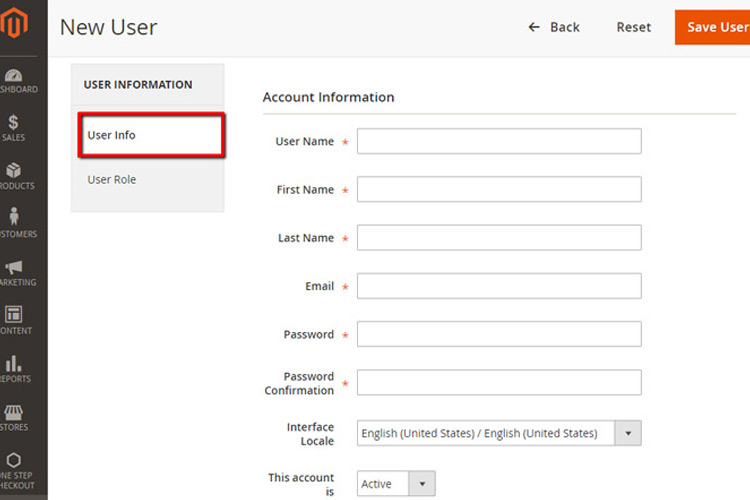
1) Add a User From the Admin panel, select System > Permissions > Users.
2) Click the Add New User button.
3) In the User Info area, fill in all fields for Account Information.
4)Set the account status to Active to enable access to the user.
5)Click the User Role tab on the left panel and assign this user to a predefined role.
6)Click Save User.
Share this playbook